Nothing To Declare Day Progression Guide
From early shifts through Day 8 spikes, Day 10 machines, and the habits that keep careers stable.
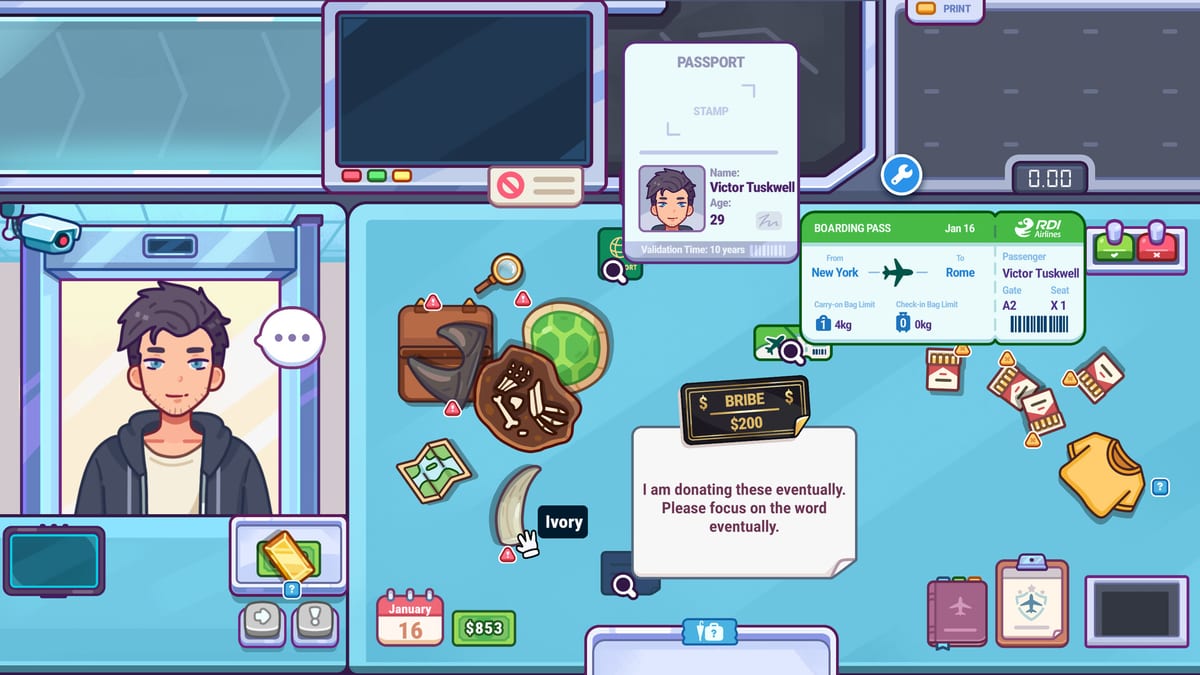
Nothing To Declare is not one difficulty curve—it is a stack of days. Early shifts teach weighing, x-ray, interviews, and searches. Mid-game days add denser newspaper rules, bills, work permits, cameras, Cookie, express lines, and the community-reported spikes around Day 6, Day 8, and Day 10+. This guide explains how to read those jumps without panic, what v1.0.1 already fixed, and where to go when a specific day feels unfair or broken.
If you are still learning the loop, start with How to Play, First Shift Tips, and Documents & Daily Rules. If a case feels like a bug, use Troubleshooting & FAQ before you restart a save.
The day stack mindset
Treat each day as a fresh legal brief plus a harder queue—not as “the same shift with more passengers.” Players who cruise Days 1–3 on demo memory often stall when documents, bills, and special travelers stack. Your job is to protect process first and speed second.
Stable mid-game loop:
- Read today’s newspaper completely.
- Check passport, boarding pass, permits, and labels.
- Weigh, scan, and interview on disagreement.
- Use cameras, Cookie, or swabs only with a named reason.
- End the shift with cash reserve before shopping.
Keep the Shift Checklist open through Day 10. It is cheaper than relearning a bad habit on Day 8.
Days 1–5: foundation you cannot skip
These days exist to make the four clue channels automatic: weight, x-ray, interview, search. Money should be steady but not lavish. Upgrades should target proven bottlenecks from Workstation Upgrades, not impulse Duty-Free shopping.
Common early failure: searching for entertainment. Fix it with two-signal rules from Luggage Search and Bag Weighing. Another early failure: ignoring the scale because the x-ray looks colorful. Do not carry that into Day 6.
Day 6: bag friction and “stuck” reports
Launch-week discussions mention Day 6 bag glitches, weird luggage states, and players feeling stuck even when the case looks simple. Before assuming corruption, run this checklist:
- Did the bag animation finish before you clicked a tag or item?
- Does today’s newspaper ban something inside a bag that looks innocent?
- Is a smart watch, label, or hidden compartment part of the case?
- Did you update to v1.0.1 so regulation text and UI fixes are active?
If the bag truly will not respond, note the day, passenger type, and last click, then check Troubleshooting & FAQ and Steam discussions via Official Links. Soft-reset by finishing the passenger screen if possible before force-quitting.
Day 6 is often the first day where documents and physical clues disagree on purpose. Slow down one beat. That beat saves more careers than heroic queue speed.
Day 8: the community difficulty spike
“How do I pass Day 8?” became a recurring community question after launch. Day 8 is less about one trick and more about stacked restrictions plus tighter throughput pressure. You need the document-first script from Documents & Daily Rules running without thinking.
Day 8 habits:
- Write three words from the newspaper before passenger one: destination cue, surname cue, item cue.
- Refuse courtesy clears on high-risk or express travelers.
- Spend cameras and Cookie only when you can name the mismatch.
- Keep a cash reserve for bills—see Earning Money.
If Day 8 still feels impossible after a clean checklist shift, play one more day focused only on newspaper obedience, not upgrades or shopping. Many stalls are rule misses wearing a difficulty mask.
Day 10 and beyond: machines and career density
Official v1.0.1 fixed a machine breakdown after Day 10 issue from launch day. If machines fail oddly in late careers, verify your build is patched before blaming skill.
Late days introduce more simultaneous systems: confiscation endings, Duty-Free and Retirement goals, wanted or express travelers, swabs, secret compartments, and longer newspaper text. Use the judgment hierarchy from Full Game Systems:
rules → documents → physical tells → interviews → confirmation tools → confiscation/clear.
Day 10+ is where achievement habits from Achievements matter. You are no longer learning stations—you are chaining them under time pressure.
Bills, shopping, and mid-game money traps
Community threads about unpaid bills spike in mid-career because income looks healthy while reserves disappear. Treat bills like a scheduled boss fight:
- Check cash after every shift.
- Keep a reserve before buying upgrades or Duty-Free items.
- Do not spend launch-week earnings on cosmetics if the next bill is close.
The launch 30% discount window runs through August 8, 2026 on Steam, but in-game bills do not care about storefront sales. Read Earning Money and the bill sections on Troubleshooting.
Save behavior and lobby issues
Newer threads mention save function problems and lobby screen issues. Best practice on PC:
- Exit from a stable menu after finishing a passenger when possible.
- Avoid alt-F4 during confiscation or search minigames.
- Note day number and cash before closing if you suspect a save bug.
Report reproducible save issues on Steam with day, action, and platform. This wiki tracks player-side workarounds on Troubleshooting until an official patch lands.
When to push versus when to pause
Push when: your checklist is clean, newspaper reading is automatic, and one specific tool is the weak link—train that tool for five passengers.
Pause when: you are missing restrictions, force-quitting often, or cannot explain why you searched. Return to First Shift Tips pace for one session.
Nothing To Declare rewards officers who treat days as chapters, not speedruns. Read the board, protect your reserve, and let evidence—not panic—carry you past Day 8 into the patched Day 10+ career.
Frequently Asked Questions
Quick answers to the most common questions.
Why do players get stuck on Day 6 or Day 8?
Usually stacked newspaper rules, rushed tag clicks, or document misses—not broken saves. Slow the document script and verify v1.0.1 is installed.
Did v1.0.1 fix Day 10 machine issues?
Yes. The launch-day hotfix addressed a machine breakdown occurring after Day 10. Update before late-career troubleshooting.
How should I prepare for Day 8?
Automate newspaper reading, keep cash reserves for bills, and use Full Game Systems tools only with named reasons.
Is there a v1.0.2 patch for Day 8 difficulty?
No public v1.0.2 note was found as of late July 2026. Use process guides and Troubleshooting until Steam news confirms a new patch.
Where do bills fit into day progression?
Mid-career bills punish players who spend every good shift on upgrades. Reserve cash after each day via Earning Money habits.